

A long to-do list can make a workday feel productive without giving you a clear sense of where your time is actually going. When emails, meetings, chat messages, and project work compete for attention, it is easy to move between tasks instead of giving important work a sustained period of focus.
The time-blocking method takes a different approach. Instead of keeping every task on one open-ended list, you assign specific periods of your day to particular types of work. This creates a practical schedule for deciding what to work on and when.
Time-blocking does not prevent every interruption or eliminate multitasking, but it creates clearer boundaries around your attention and makes it easier to protect time for important work.
What Is Time-Blocking?
Time-blocking is a time-management technique in which you divide your workday into defined periods and assign each period a specific task, project, or category of work.
Instead of simply listing tasks such as answering emails, preparing a presentation, reviewing a report, and planning the following week, you assign each activity a place in your schedule.
A workday might include:
- 9:00–10:30: Presentation work
- 10:30–11:00: Email
- 11:00–12:00: Meetings
- 1:00–2:00: Report review
- 3:30–4:00: Email and messages
- 4:00–4:30: Planning and follow-ups
The schedule gives each task a defined period rather than leaving the entire day open for competing priorities.
Key Time-Blocking Variations
Different types of work call for different scheduling approaches. You can use one method or combine several.
1. Task Batching
Task batching groups similar activities into the same time block. This is particularly useful for smaller tasks that can otherwise interrupt more focused work.
Instead of checking email every few minutes, schedule dedicated communication blocks during the day, such as one in the late morning and another in the afternoon.
Batching does not mean ignoring urgent messages indefinitely. It creates predictable periods for routine communication instead of allowing it to occupy the entire day.
2. Day Theming
Day theming gives particular days a recurring focus. It can work well when your role involves several distinct responsibilities.
A weekly schedule could include:
- Monday: Team coordination and operations
- Tuesday: Project development
- Wednesday: Client meetings and external calls
- Thursday: Focused project work
- Friday: Administration, planning, and weekly review
Most people will still need to handle unexpected work and recurring commitments. Day theming works best as a general structure rather than a rule that every task must fit perfectly into one day.
3. Time Boxing
Time boxing assigns a fixed amount of time to a task rather than leaving it open until it feels finished.
Set aside 45 minutes to create the first draft of a proposal, then move on to the next scheduled task when the block ends. If the draft needs more work, schedule another block later.
This approach is useful for tasks that tend to expand indefinitely, such as research, writing, email processing, or administrative work.
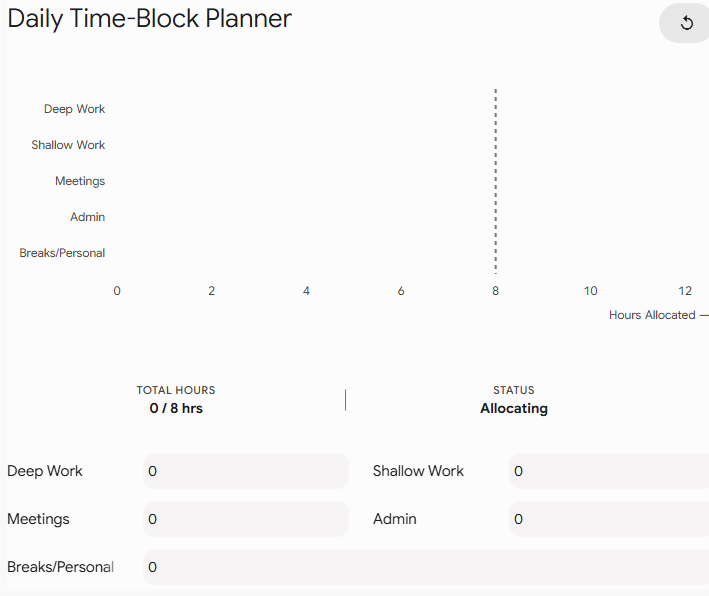
Interactive Daily Time-Block Planner
Use the planner below to build a workday around your available hours, focus periods, meetings, administrative work, and breaks.
Experiment with different block lengths rather than assuming that one schedule works for every type of work. A writing task may need a longer uninterrupted period, while routine administration may fit comfortably into shorter blocks.
Step-by-Step Guide to Time-Blocking
1. Start With Your Fixed Commitments
Add meetings, appointments, recurring calls, and other commitments to your calendar first.
These are the parts of your schedule that are already determined. The remaining time becomes your working space.
2. Identify Your Most Important Work
Choose the one to three tasks that need meaningful progress that day.
Do not try to fill every available minute with high-priority work. A realistic schedule needs room for routine tasks, interruptions, and unexpected requests.
3. Match Tasks to Your Energy
Consider when you normally have the most concentration and use those periods for work that requires deeper attention.
If you tend to focus better in the morning, reserve that period for writing, analysis, planning, or other cognitively demanding work.
Use lower-energy periods for email, routine administration, file organization, or other tasks that require less sustained concentration.
4. Assign Realistic Time Blocks
Estimate how long each task is likely to take and give it a defined block.
Avoid scheduling your day with no gaps between tasks. A 60-minute task does not necessarily fit neatly into a 60-minute calendar slot once setup, interruptions, or transitions are considered.
If you regularly underestimate a particular task, use your previous experience to increase the block rather than applying the same buffer to every task.
5. Add Breaks and Buffer Time
Breaks are part of a workable schedule, not wasted time.
Leave some unscheduled space between major blocks where possible. This gives you room to finish a task that runs over, respond to an unexpected request, or reset before starting the next activity.
6. Protect Focus Blocks
During a focus block, reduce avoidable interruptions.
Depending on your work environment, this could mean:
- Turning off non-essential notifications
- Closing unrelated browser tabs
- Putting your chat status on Do Not Disturb
- Moving your phone out of immediate reach
- Letting colleagues know when you are unavailable for routine questions
You do not need to eliminate every interruption. The objective is to make focused work easier to sustain.
7. Review and Adjust Your Schedule
At the end of the day or week, compare your planned blocks with what actually happened.
Ask yourself:
- Which tasks consistently took longer than expected?
- Which blocks were repeatedly interrupted?
- Did meetings consume more time than planned?
- When did you do your best focused work?
- Which tasks should be batched together?
- Where do you need more buffer time?
Use these observations to improve the next schedule.
Traditional To-Do Lists vs. Time-Blocking
| Feature | Traditional To-Do List | Time-Blocking |
| Time awareness | Lists tasks without necessarily assigning them a duration | Assigns tasks specific periods |
| Prioritization | Requires you to decide what to work on next | Makes the next scheduled activity more explicit |
| Context switching | Tasks can be changed at any point | Blocks create clearer boundaries between activities |
| Interruptions | Easy to respond to interruptions immediately | Focus blocks provide a defined period for concentrated work |
| Flexibility | Highly flexible but easy to leave tasks unfinished | More structured, but blocks can be moved when priorities change |
| Planning | Focuses mainly on what needs to be done | Considers both what needs to be done and when it will happen |
Neither approach needs to replace the other. A task list can hold everything you need to accomplish, while your calendar determines when selected tasks will receive your attention.
3 Rules for Time-Blocking Success
1. End the Day With a Short Shutdown Routine
Spend the final 10 minutes reviewing unfinished tasks, checking the next day’s commitments, and preparing your initial blocks.
You do not need to clear your entire inbox before finishing work. The goal is to close the day with a clear understanding of what needs attention next.
2. Use Your Own Data to Improve Time Estimates
Time estimates become more accurate when you compare them with actual completion times.
If a report repeatedly takes two hours even though you schedule one hour, adjust future blocks accordingly. You can also add a small buffer to tasks that frequently involve revisions, approvals, or interruptions.
3. Protect Your Most Valuable Focus Periods
Identify the periods when you do your most concentrated work and reserve them for tasks that genuinely require that attention.
Turn off unnecessary notifications, close unrelated tabs, and avoid filling every high-focus period with meetings when you have control over your calendar.
Make Time-Blocking Flexible Enough to Work
A useful time-blocking schedule is not a rigid timetable that collapses when one meeting runs late. It is a framework for deciding where your attention should go.
Start with a few important blocks rather than scheduling every minute of the day. Protect time for demanding work, batch routine tasks, leave room for interruptions, and review your estimates regularly.
The most effective schedule is one that reflects how you actually work. Once your calendar begins to show where your time goes, it becomes easier to identify overloaded days, protect focused work, and make deliberate choices about what deserves your attention.
The information provided on this blog is not intended to be medical advice and should not be relied upon as such.If you have any medical concerns, please consult with a qualified healthcare professional. We are not responsible for any harm or injury caused by reliance on the information provided.